Agent Merge Moves Copilot Into the Final Stretch of a Pull Request
GitHub announced on September 4, 2026 that Agent Merge is now in public preview as part of the VS Code 1.136 release updates. The feature is designed to help get a pull request ready to merge by resolving review feedback, failed checks, and merge conflicts. That is a meaningful expansion of the coding-agent workflow because the work does not stop when code is generated. Copilot is being pushed further into the stage where changes are reviewed, validated, repaired, and prepared for the final merge.
The Goal Is a Merge-Ready Pull Request
The new feature is centered on a simple outcome: take a pull request that still has blockers and help move it toward a state where it can be merged. GitHub’s changelog names three common blockers directly: review feedback, failed checks, and merge conflicts. These are exactly the kinds of issues that often appear after the main implementation is already finished. Agent Merge gives Copilot a role in that follow-through instead of leaving every cleanup step as a separate manual task.
Review Feedback Can Become an Agent Task
GitHub’s Copilot app documentation already shows the broader workflow behind this idea. When a pull request has review comments, a developer can ask an agent to resolve a comment with a Fix action. The agent can inspect the requested change, update the code, and continue the pull request workflow. Agent Merge builds on that direction by making review feedback part of a larger merge-readiness process rather than a disconnected step.
Copilot Can Work on Failing CI Checks
GitHub also documents Copilot workflows for failing CI checks. In the Copilot app, developers can ask an agent to fix failing checks from the pull request view. In Copilot CLI, the /pr fix ci command lets Copilot inspect failing CI jobs, analyze the logs, apply targeted fixes, push the changes, and re-check the CI status. This makes automated validation part of the same agentic loop as code changes.
Merge Conflicts Are Now Part of the Agent Workflow
Merge conflicts are another important part of the new flow. GitHub already lets Copilot cloud agent help resolve conflicts from a pull request. The agent can analyze the conflicting changes, resolve them, and verify that the build, tests, and linter still pass before requesting review. Agent Merge brings that capability into a broader workflow whose goal is to move the entire pull request toward merge-ready status.
Copilot CLI Shows the Full Pull Request Lifecycle
GitHub’s /pr command in Copilot CLI makes the direction especially clear. Developers can view pull request status, create a pull request, address review feedback, resolve merge conflicts, fix CI failures, or run the entire sequence. The /pr fix command handles feedback, conflicts, and CI in order, while /pr auto can continue looping through those phases until the pull request is fully green. Agent Merge fits directly into this larger move toward end-to-end pull request automation.
One Command Can Address the Main Pull Request Blockers
The /pr fix workflow is a useful preview of how GitHub is thinking about agentic pull request work. It runs three phases: review feedback, conflicts, and CI failures. Those are the same categories highlighted in the Agent Merge announcement. Instead of requiring the developer to jump between several tools and manually coordinate each repair, Copilot can work through the sequence as one connected task.
Agent Merge Can Keep Working in the Background
GitHub’s Copilot app documentation describes Agent Merge as a background workflow. When enabled, it prompts the workspace’s Copilot session to read the pull request, fix what is blocking it, and merge it as soon as GitHub allows. The workflow survives app restarts and turns itself off once the pull request is merged. That makes the feature feel less like a one-shot command and more like an ongoing agent watching the state of the pull request until the job is complete.
The Human Still Owns the Final Development Workflow
The strongest version of this workflow is not about removing developers from the process. GitHub’s own documentation keeps review and repository rules in the loop. Copilot can make changes, resolve blockers, and request review, while normal branch protections, approvals, and repository settings continue to determine when a merge is allowed. That keeps the agent focused on execution while the project’s existing collaboration model remains intact.
Copilot Was Already Moving Into Pull Request Repair
GitHub has been expanding Copilot cloud agent beyond code generation for months. In an official GitHub Checkout demonstration, the company showed Copilot working on pull requests, resolving merge conflicts, and handling development tasks around CI and review. Agent Merge turns that broader direction into a more explicit merge-readiness feature inside the current VS Code release cycle.
The Agent Can Read the Pull Request as a Working Context
A pull request contains much more than a diff. It includes review comments, CI status, branch relationships, code changes, and project history. GitHub’s Copilot app lets an agent operate with this pull request context and start a session directly from the PR. That gives the model a richer working surface than a generic code prompt because the agent can act on the state of the actual change that is moving through review.
This Changes What a Coding Agent Is Expected to Finish
Early coding assistants were mainly judged by how well they generated code. Agent Merge points toward a broader definition of completion. A useful coding agent is increasingly expected to help with the full path from implementation to review, validation, conflict resolution, and merge readiness. The result is a workflow where the agent is responsible for more of the delivery process, not just the first draft of the code.
Pull Request Automation Is Becoming More Continuous
The combination of Agent Merge, Copilot CLI pull request commands, cloud-agent conflict resolution, and CI repair shows a clear pattern. GitHub is connecting individual Copilot actions into continuous workflows. A developer can ask for a change, move it into a pull request, respond to feedback, repair checks, resolve conflicts, and continue until the repository’s merge conditions are satisfied. The boundaries between coding, review, and release preparation are becoming much more connected.

VS Code Is Becoming a Home for Agent Sessions
The same VS Code 1.136 update also adds new ways to manage agent sessions. GitHub’s changelog notes multi-root workspace experiments, chat-session organization, and indicators for sessions that need attention. These additions matter because long-running agents need a place where developers can see what is happening, return to a task, and understand which sessions require input. Agent Merge fits naturally into that environment.
The Pull Request Becomes an Active Agent Workspace
With Agent Merge, the pull request is no longer just a review artifact at the end of coding. It becomes an active workspace where an agent can keep contributing after the initial implementation. Review feedback can lead to new edits, CI results can trigger repair work, and merge conflicts can become another step in the same ongoing session. That turns the PR into a live coordination point between the developer, reviewers, repository rules, and Copilot.
GitHub Is Connecting Copilot Across App, CLI, Cloud Agent and VS Code
One of the most important aspects of this update is that the same pull request lifecycle is appearing across several GitHub surfaces. The Copilot app can respond to reviews and failing checks. Copilot CLI exposes /pr commands for the full workflow. Copilot cloud agent can resolve conflicts directly from GitHub. VS Code now adds Agent Merge. The pieces are converging around one idea: Copilot should be able to participate wherever the pull request is being worked on.
The Upgrade Feeling
Agent Merge is a strong example of coding agents moving from code creation into software delivery. GitHub is giving Copilot a larger role after the first implementation is done: read the pull request, respond to review feedback, work through failing checks, resolve merge conflicts, and keep moving toward merge-ready status. For developers, that means the agent is becoming less like an autocomplete layer and more like a collaborator that can stay with a change through the final stages of the pull request.
Agent Plugins 1.0 Standardizes the Package Around Agent Extensions
AI agent extensions already had reusable parts before Agent Plugins 1.0.
Agent Skills can package instructions, scripts and reference material.
MCP servers can expose tools and data.
The problem was not that those components did not exist.
The problem was that different agent clients could expect different packaging around them.
Agent Plugins 1.0 adds a shared package format.
Version 1.0.0 defines one directory structure that compatible clients can inspect and load.
At the root is plugin.json.
Skills go under skills/.
MCP server configuration goes in mcp.json.
Client-specific additions can live in namespaced directories.
The standard therefore sits around the components rather than replacing them.
An Agent Skill remains an Agent Skill.
An MCP server remains an MCP server.
Agent Plugins defines how those pieces travel together as one portable extension package.
AWS, Cursor, Microsoft, OpenAI and Vercel are represented on the initial Technical Steering Committee, and the specification is developed publicly.
The result is a new layer in the agent stack: not another tool protocol, but a common package contract for reusable agent capabilities.
The Smallest Plugin Starts With plugin.json
Every conforming Agent Plugin begins with one required file.
plugin.json.
The manifest identifies the package and the Agent Plugins specification version it targets.
For version 1.0.0, the required schema identifier is the canonical Agent Plugins 1.0 manifest schema.
The minimal manifest can contain only that schema reference and a plugin name.
Additional metadata can describe version, author, homepage, repository, license, keywords and client extension data.
The important part is predictability.
A compatible client knows where to look first.
It does not need to guess whether the package uses one vendor’s root manifest or another vendor’s directory convention.
It checks plugin.json.
It validates the declared format.
Then it discovers the component types it supports.
That sequence gives the package a stable identity before any skill or MCP server is loaded.
The manifest is small because Agent Plugins 1.0 deliberately keeps most component details in their own standard locations instead of turning plugin.json into a large universal configuration file.
Skills Live in a Fixed skills Directory
Agent Plugins 1.0 defines Agent Skills as one of its two portable component types.
The package uses a fixed skills/ directory.
Each immediate child directory can contain one SKILL.md file and the related resources defined by the Agent Skills specification.
Scripts can live beside it.
References can live beside it.
Assets can live inside the skill structure defined by the underlying Skills format.
Agent Plugins does not redefine how SKILL.md works.
The Agent Skills specification remains the source of truth for the skill itself.
Agent Plugins only defines where compatible clients should discover those skills inside the portable package.
That separation is useful.
The skill author keeps one skill format.
The plugin package adds a predictable location around it.
A client that supports Agent Skills can inspect skills/ and load the skills it understands.
A client that supports another portable component can continue loading that component independently.
The package becomes a container for reusable agent behavior without creating a new instruction language.
MCP Configuration Gets One Portable Root File
The second portable component type in Agent Plugins 1.0 is MCP server configuration.
The standard places it in mcp.json at the plugin root.
That file can describe local stdio MCP servers or remote MCP endpoints using supported transports.
The current specification includes stdio, Streamable HTTP and legacy HTTP+SSE configuration.
Each server entry declares its type explicitly.
Agent Plugins does not redefine the MCP wire protocol.
The Model Context Protocol specification still defines MCP behavior and lifecycle semantics.
Agent Plugins defines the portable configuration used to locate and connect to MCP servers that travel with the plugin.
A compatible client can then translate that portable description into its own native runtime configuration.
This is another example of the packaging layer staying separate from the component standard underneath it.
MCP defines how the agent talks to the server.
Agent Plugins defines how the package tells compatible clients that the server is part of the extension.
Skills and MCP Servers Can Travel in the Same Directory
The format becomes more interesting when the two component types are combined.
A plugin can ship a skill that explains how an agent should perform a task.
The same package can also ship an MCP server configuration that gives the agent the tools needed to perform that task.
AWS gives the example of packaging a deployment runbook with its tool integration.
The instruction layer and the tool layer remain separate, but they travel together.
That lets an extension author design one coherent capability.
The skill can contain the workflow.
The MCP server can expose the external operations.
The root manifest gives the package an identity.
The compatible client discovers whichever components it supports.
This creates a useful package boundary.
The plugin is no longer only a prompt bundle or only a tool connection.
It can be a reusable unit containing both instructions and executable integrations while preserving the standards that define each part.
A Fixed Directory Layout Creates the Portable Contract
The core directory layout is intentionally small.
A typical package can look like this:
plugin.json at the root.
skills/ for Agent Skills.
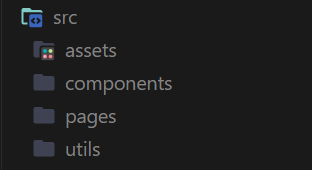
mcp.json for MCP servers.
Optional reverse-domain directories for client-specific extensions.
LICENSE and documentation can sit beside them.
The fixed locations are part of the portability contract.
plugin.json cannot move the skills directory somewhere else.
MCP configuration cannot be embedded into an arbitrary core field.
Compatible clients discover the same portable components from the same locations.
That gives authors one predictable structure to publish.
It gives client implementers one predictable structure to load.
The format is therefore less about inventing new component types and more about removing packaging ambiguity around existing ones.
Portability comes from agreeing on where the pieces go and how the root manifest identifies the package.
Client-Specific Features Use Reverse-Domain Namespaces
Portable standards still need room for clients to add their own capabilities.
Agent Plugins 1.0 handles that with reverse-domain extension namespaces.
A client can place manifest data under an extension key such as com.example.client.
It can also use a top-level directory with the same namespace.
Other clients ignore namespaces they do not implement.
GitHub Copilot uses this pattern with com.github.copilot.
VS Code documentation says Copilot-specific custom agents, slash commands, rules and hooks can live in that namespace while the same package keeps its portable skills and MCP configuration in the standard locations.
This creates two layers inside one directory.
The portable core is shared.
Client-specific behavior stays namespaced.
An extension author therefore does not have to choose between portability and every client-specific capability.
The common parts can remain portable.
Extra behavior can stay attached to the package for clients that understand it.
The Standard Leaves Installation and Distribution to Clients
Agent Plugins 1.0 does not try to standardize the entire plugin ecosystem.
The official documentation says distribution, installation, permissions, user experience and client-specific capabilities remain under each client’s control.
That scope is deliberate.
The shared format defines the package.
Clients still decide how users discover it.
A client can use a marketplace.
Another can install from a local directory.
Another can integrate plugin management into an enterprise policy system.
The standard does not need every client to have the same interface.
It only needs the compatible parts of the package to remain recognizable.
This creates an interoperability floor rather than one universal agent application model.
The package can travel.
The installation experience can still differ.
That gives vendors room to design their own client behavior while keeping a shared structure underneath.
Compatible Clients Can Adopt Component Types Incrementally
A client does not need to implement every possible plugin capability at once.
The Agent Plugins compatible-clients page documents support by component type and MCP transport.
Current listed clients include VS Code, Cursor, GitHub Copilot, ChatGPT and Codex, Kiro, Hermes Agent and OpenClaw.
All of those listed clients support Agent Skills.
Their MCP transport support varies by client.
The specification says clients can ignore component types they do not support.
That makes adoption incremental.
A client can begin with skills.
It can add MCP support.
It can support more transports later.
The plugin package does not have to change its identity each time.
This is useful for an emerging standard because the ecosystem can converge gradually.
Portability does not require every client to expose exactly the same feature set.
It requires the common pieces to remain discoverable and interpretable when they are supported.
GitHub Copilot and VS Code Already Use the 1.0 Format
GitHub announced general availability of Agent Plugins 1.0 support in VS Code, Copilot CLI, the GitHub Copilot SDK and the GitHub Copilot app on August 12, 2026.
GitHub says the format lets authors build a plugin once and use it across compatible clients.
For GitHub’s own tools, the portable Agent Skills and MCP configuration stay in the standard locations.
Copilot-specific files can live under com.github.copilot.
GitHub also says existing Copilot plugin formats remain supported, so the 1.0 format adds a new portable path rather than requiring every older package to be rewritten immediately.
This is an important stage for a specification.
It is not only a document.
A major agent client family is loading the format in production tools.
The common package contract is therefore already connected to real installation and runtime workflows.
VS Code Can Detect the Package From Its Schema
VS Code’s current documentation shows how a client identifies Agent Plugins 1.0.
A root plugin.json with the canonical Agent Plugins schema uses Agent Plugins semantics.
VS Code then discovers skills from skills/ and MCP configuration from mcp.json.
The editor also understands client-specific namespaces it owns and ignores namespaces owned by other clients.
That gives the package a clear loading path.
The schema identifies the portable format.
The fixed directories identify the components.
The namespace identifies client-specific additions.
The runtime can then decide which supported parts to activate.
This layered discovery model is what turns a folder into a standard package rather than a collection of loosely related files.
PLUGIN_ROOT and PLUGIN_DATA Give Packaged Files Stable References
Portable packages also need a way to refer to their own files.
Agent Plugins 1.0 defines placeholders such as PLUGIN_ROOT and PLUGIN_DATA for supported configuration fields.
PLUGIN_ROOT refers to the plugin’s installed root.
PLUGIN_DATA refers to client-managed writable state that can persist across plugin updates.
That distinction is useful.
Packaged scripts and configuration can reference files that ship with the plugin.
Writable runtime state can be placed in a separate client-managed location.
The plugin does not need to know the exact absolute installation path on every operating system or client.
The runtime expands the portable placeholder.
This is another small part of the format that supports movement between clients and machines.
The package describes relationships relative to itself instead of hard-coding one installation environment.
Versioning Lets Clients Know Which Contract a Plugin Targets
The manifest schema also acts as a version selector.
Agent Plugins 1.0.0 uses a canonical schema identifier.
A compatible client reads that identifier before interpreting the package.
If the client supports the declared Agent Plugins version, it can apply the corresponding validation and discovery rules.
That creates a path for the format to evolve without making the package ambiguous.
The plugin states which contract it expects.
The client states which contracts it implements.
The optional version metadata for the plugin itself can then be used separately for plugin updates and cache freshness.
There are therefore two version concepts.
The Agent Plugins specification version defines the package format.
The plugin’s own version identifies the extension release.
Keeping those concepts separate makes updates easier to reason about.
The Project Uses Public Governance Across Several Companies
Agent Plugins is also designed as a multi-company project.
The official site says the initial Technical Steering Committee includes core maintainers from Amazon, Cursor, Microsoft, OpenAI and Vercel.
GitHub participated in refining the 1.0 proposal, and Google joined as a core maintainer when the format launched according to GitHub’s August announcement.
Technical proposals and decisions are developed publicly.
The specification and schemas are openly licensed.
That governance structure matters because the package is supposed to travel between clients operated by different companies.
A portability format becomes more useful when several implementers can participate in defining the shared contract.
The common directory is therefore not presented as one client’s private plugin layout exported to everyone else.
It is being developed as an open interoperability project around components that already cross agent ecosystems.
Version 1.0.0 Is Public While the Normative Page Still Says Working Draft
There is one status detail worth stating precisely.
AWS, GitHub and the Agent Plugins project describe version 1.0.0 as publicly available.
The official specification page currently identifies the normative document as Spec Version 1.0.0 and labels its status Working Draft.
Those statements can coexist.
The 1.0.0 format is available for implementation and is already supported by real clients.
At the same time, the normative documentation still carries a Working Draft status label.
For developers, the practical rule is to target the published 1.0.0 schema and current normative specification used by supporting clients.
For editorial accuracy, it is better to preserve both facts instead of simplifying the status into either “just a draft” or “fully frozen forever.”
The implementation ecosystem is active.
The specification remains an openly developed technical standard.
Agent Plugins 1.0 Turns Extension Packaging Into a Shared Layer
The agent ecosystem now has several different standards solving different problems.
Agent Skills define reusable instructions and resources.
MCP defines model-to-tool and model-to-data connections.
Agent Plugins defines how skills and MCP server configurations can be packaged together for compatible clients.
That distinction is the important part.
The format does not need to replace the components below it.
It gives them a common container.
plugin.json identifies the extension.
skills/ contains portable skills.
mcp.json contains portable MCP configuration.
Reverse-domain namespaces carry client-specific additions.
Clients decide how installation, distribution, permissions and user experience work.
Current implementations already span VS Code, Cursor, GitHub Copilot, ChatGPT and Codex, Kiro and additional agents listed by the project.
The result is a packaging layer that can sit above several reusable agent technologies.
The skills stay skills.
The MCP servers stay MCP servers.
The package becomes portable.
That is the upgrade.